Contextual AI Interactive Agent: The Sidebar That Understands Your Work
PlanAI's AI sidebar is designed to expand the current workspace, not distract from it. It stays close to the page, reads the surrounding business context, and responds with answers that match the user's active task, project history, and document state.
A generic chatbot can answer a question, but a contextual agent can answer the question that actually matters right now. That difference is subtle in interface design and enormous in practice. The moment an AI system understands what page the user is on, what document they are editing, what business problem they are solving, and what has already happened in the project, the experience changes from “ask and wait” to “work with a system that already knows the room.”
That is the idea behind PlanAI's interactive sidebar. It does not try to become the whole application. Instead, it expands the current workspace by staying adjacent to the user's task. The sidebar can help interpret a financial model, summarize a strategy note, pull related project context, or answer a question about a planning decision without forcing the user to leave the flow they are already in.
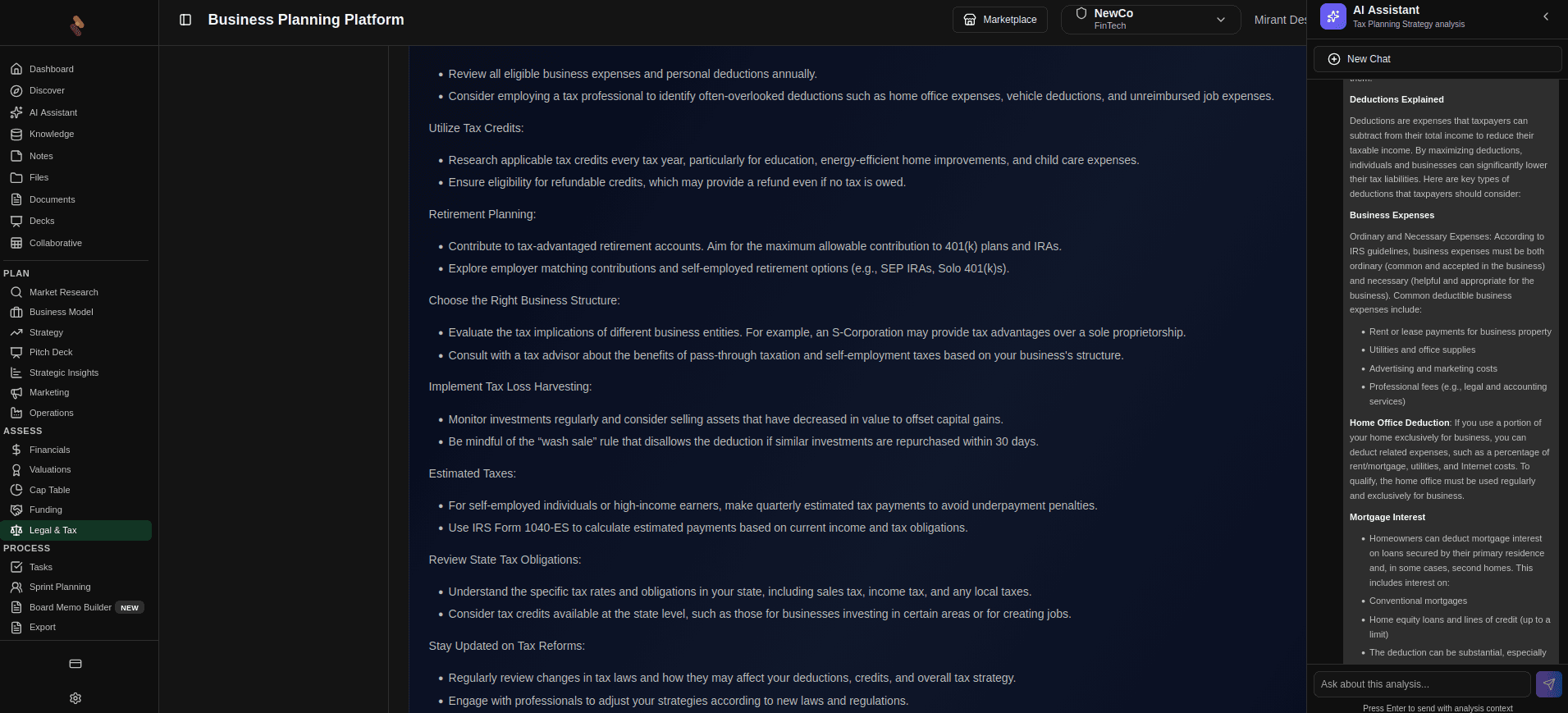
The sidebar expands the workspace and keeps the AI response anchored to the user's current context.
Context Is the Product
The most useful AI systems do not just generate language. They interpret context. In a planning environment, context includes the current route, the project or business being discussed, recent notes, files that were uploaded, and the user's immediate goal. When the sidebar can draw on that surrounding material, it can answer with specificity instead of vague generalities.
Reads the working context
The agent is not answering in a vacuum. It can use the current page, linked project data, open materials, and nearby business context to ground the response.
Expands instead of replacing
The sidebar sits alongside the primary workspace so users can keep moving through their task while the agent widens the frame around it.
Answers with intent
Questions about strategy, execution, or documents are answered in relation to what the user is doing, not as disconnected generic chat responses.
Finds the next useful step
The agent can help surface follow-up actions, related files, and missing assumptions so the conversation turns into progress.
Why the Sidebar Works Better Than a Blank Chat
A standalone chat interface often asks the user to do the hardest part first: explain everything from scratch. That is inefficient when the application already knows enough to be useful. The sidebar model reduces that burden. It creates room for a follow-up conversation that starts from the current work, not from a blank prompt.
This matters because business questions are rarely isolated. A question about pricing usually depends on a market assumption. A question about a timeline usually depends on the team's current plan. A question about a document usually depends on the version that was just edited. The sidebar can keep those dependencies visible while it responds, which makes the answer feel less like a search result and more like guidance.
The agent expands the frame
The goal is not to interrupt the user's work. The goal is to make the current work larger, clearer, and easier to act on. A contextual agent can surface related documents, highlight a missing assumption, summarize a thread, or answer a question in the language of the project the user is already inside.
Conversation That Knows Where It Is
The real advantage of contextual AI is not just better responses. It is better timing. A side panel can be persistent enough to stay available, but lightweight enough to avoid taking over the screen. That combination lets users ask small, precise questions in the moment they arise: “What did we decide last week?”, “Which section of the plan is missing evidence?”, “How should I frame this for a lender?”, or “What should I do next?”
In that sense, the sidebar is not a separate AI product bolted onto the page. It is an interaction layer for the workspace. It keeps the conversation close to the artifact, which is what makes the answer feel grounded, timely, and actually useful.
Moving From Answers to Momentum
The best AI experiences do not end with a sentence. They help the user move. That can mean linking to the relevant file, suggesting a next question, or reminding the user which part of the workflow still needs attention. When the agent is embedded in a contextual sidebar, it can turn an answer into a decision, and a decision into the next step.
A contextual agent becomes valuable when it behaves like part of the workspace rather than a detour from it. PlanAI's sidebar is built around that principle: stay visible, stay grounded, and answer in a way that helps the user keep working.