
Tips, Shortcuts, and Useful Workflows.
A practical guide to multi-scenario modeling, linked financial statements, SAFE dilution analysis, and export presets in PlanAI.
Structured Four-Stage Planning Workflow
Build an investor-ready business plan in four focused stages: establish your industry benchmark, calibrate financial drivers, test sensitivity across scenarios, and export verified documents.
Stage 1
Industry Baseline (15m)
Stage 2
Drivers & P&L (35m)
Stage 3
Scenario Stress Tests (25m)
Stage 4
PDF & DOCX Export (5m)
Assemble exports from your saved scenarios
Mark preferred sections to build a complete document automatically
Save and compare multiple working scenarios per planning module, such as Base, Conservative, or Expansion cases. Designate your preferred version in each section, and the Export Engine automatically compiles them into a unified, publication-ready business plan.
How to do it in PlanAI
- 1In any module (Business Model, SWOT, GTM, Financials), click 'Save Scenario' and name it clearly.
- 2Click the star icon or toggle 'Mark as Best Case' on the version you wish to include in your final export.
- 3Go to Export (/dashboard/export) and select 'Data Aggregation'.
- 4The engine collects your marked scenarios, verifies that section assumptions align, and compiles your PDF.
"Review this scenario for market expansion and identify any narrative contradictions with our base-case pricing assumptions."
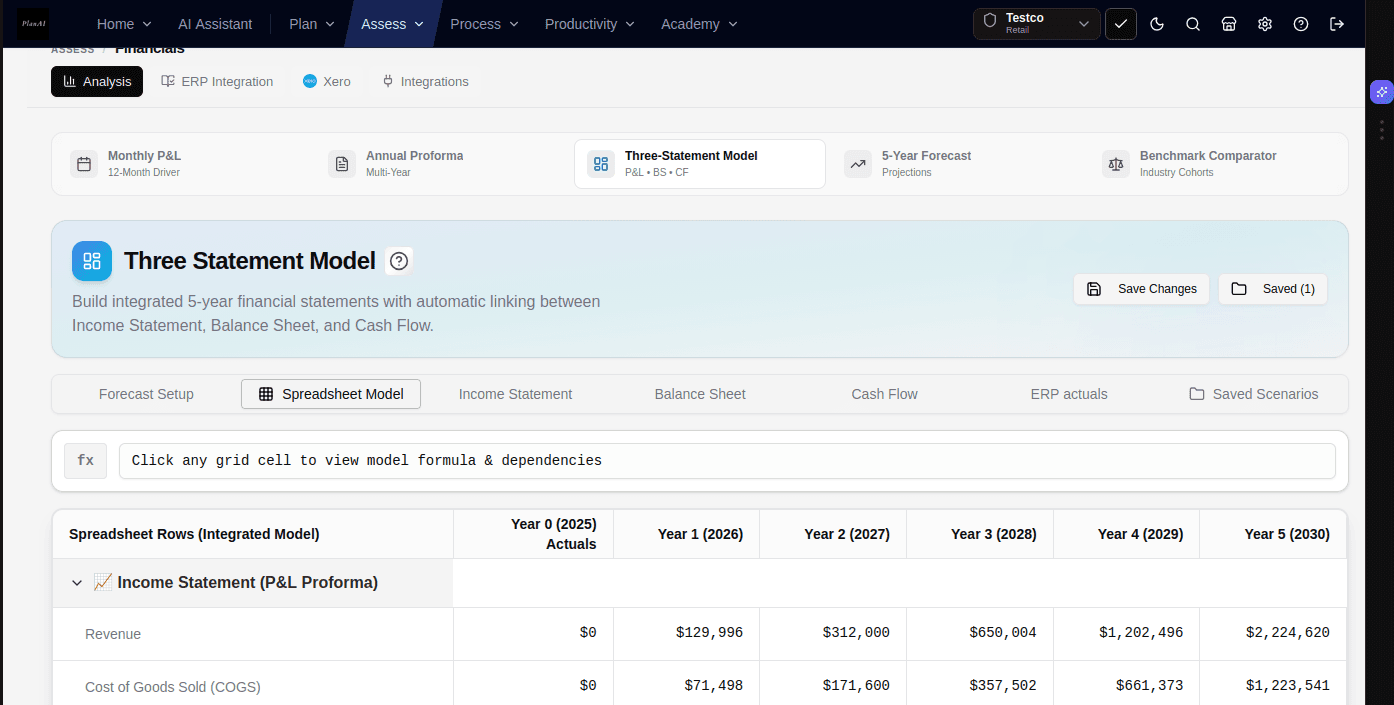
Maintain linked three-statement financial models
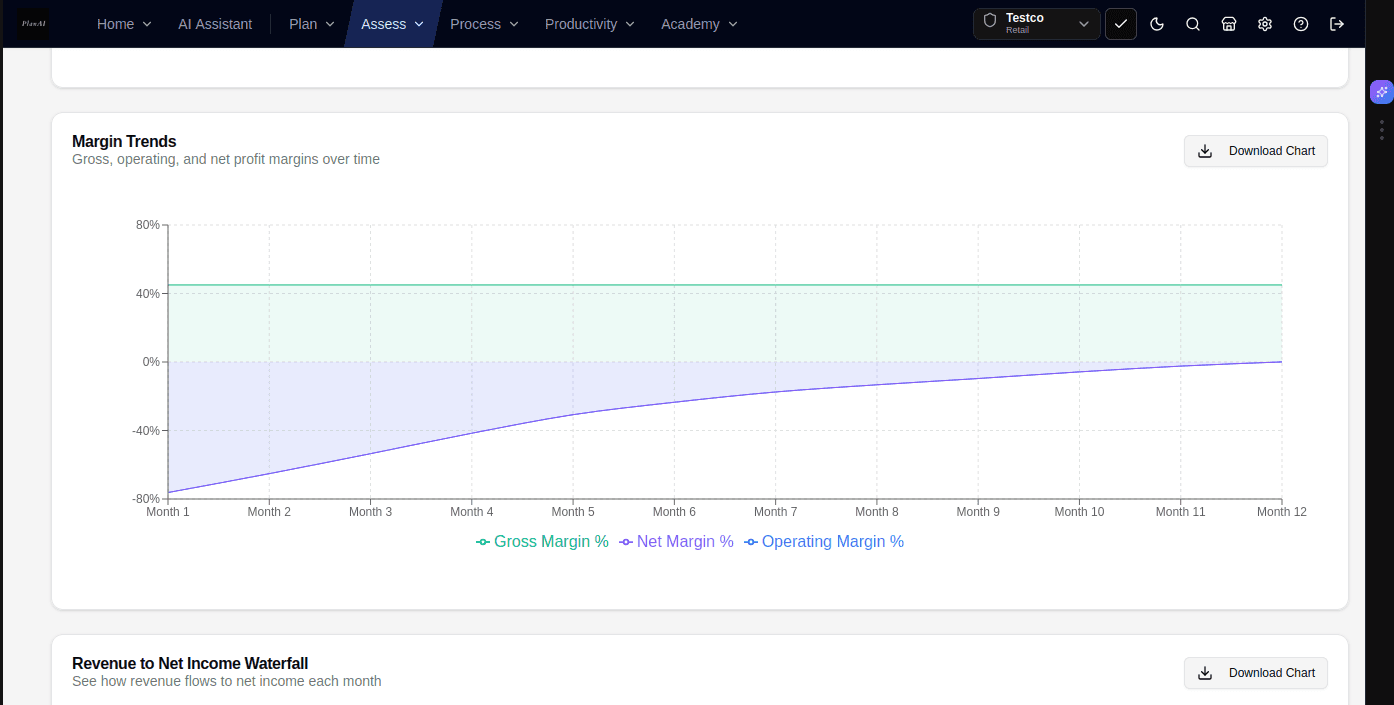
Keep Income Statement, Balance Sheet, and Cash Flow aligned through linked schedules
Build a fully integrated three-statement financial model where your Income Statement, Balance Sheet, and Cash Flow remain synchronized. Updates to hiring plans, revenue drivers, or operating expenses automatically adjust working capital and cash reserves across all 36 projected months.
How to do it in PlanAI
- 1Open Financials (/dashboard/financials) and define your baseline schedules (revenue streams, headcount, operating costs).
- 2Observe how the Cash Flow statement and Balance Sheet update automatically when driver assumptions change.
- 3Use the Financial Consistency Validator to confirm that Assets equal Liabilities plus Equity across all 36 projected months.
- 4Export to Microsoft Word (.docx) or high-resolution vector PDF with standardized accounting table layouts.
"Audit our 3-year headcount ramp against gross margin projections. Identify the month where working capital runway falls below 6 months."
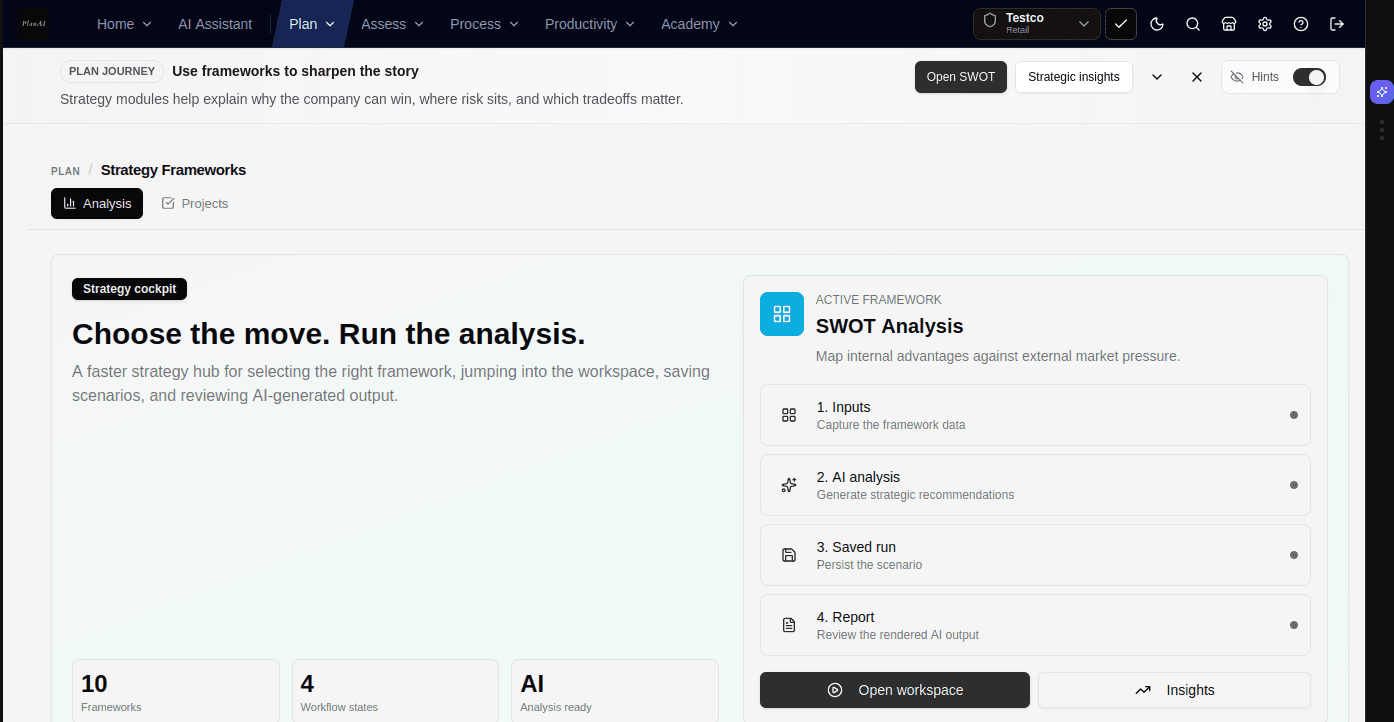
Run structured strategy frameworks beyond SWOT
Evaluate competitive moats using Porter's Five Forces, PESTEL, and Blue Ocean matrices
PlanAI provides 9 integrated strategy models: SWOT, Porter's Five Forces, PESTEL, Ansoff Matrix, BCG Growth-Share, Blue Ocean Strategy Canvas, Value Chain Analysis, and Perceptual Positioning Maps.
How to do it in PlanAI
- 1Select your NAICS industry code during setup to pre-populate industry benchmarks and competitive baseline factors.
- 2Open the Blue Ocean Canvas to map factors to Eliminate, Reduce, Raise, and Create.
- 3Use the AI review tool to identify unaddressed assumptions before external partner or investor reviews.
- 4Saved strategy scenarios feed directly into your Pitch Deck problem and solution slides.
"Using our Porter's Five Forces analysis, identify 3 structural supplier dependencies that could impact gross margins if upstream vendor costs rise 15%."
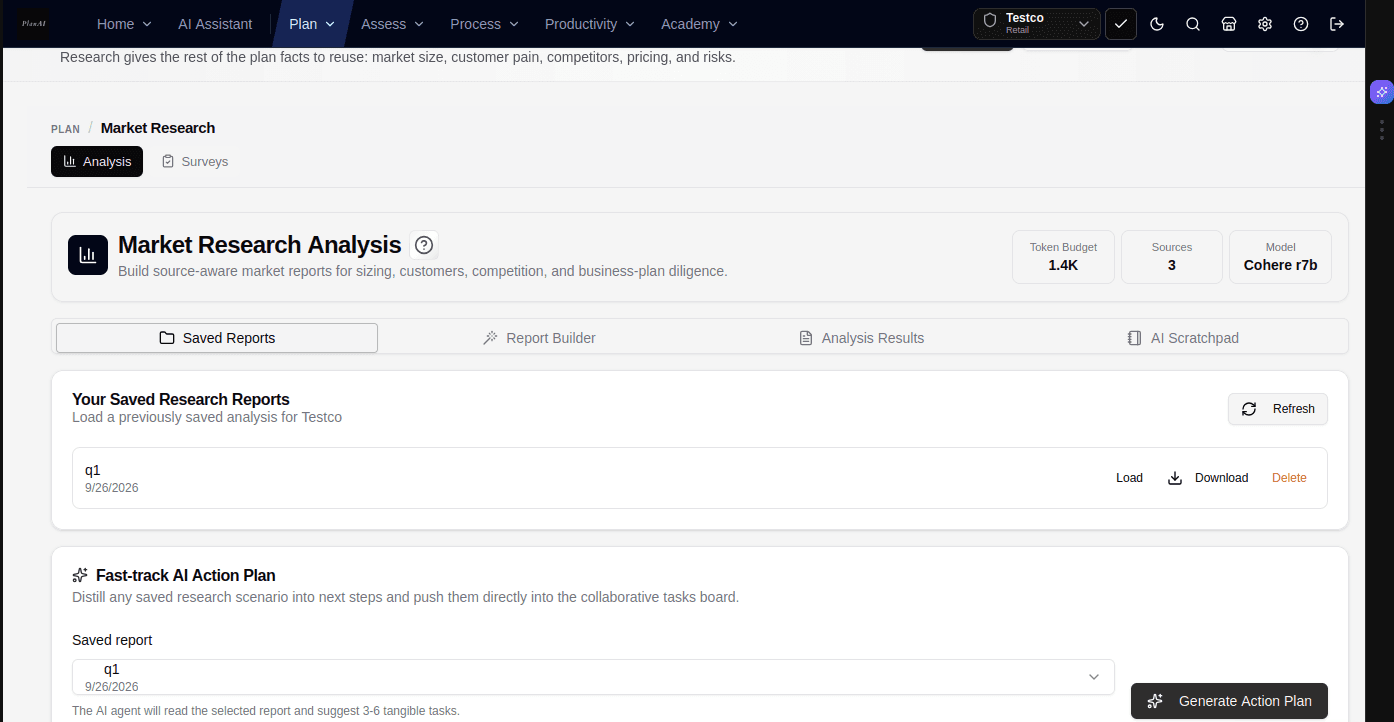
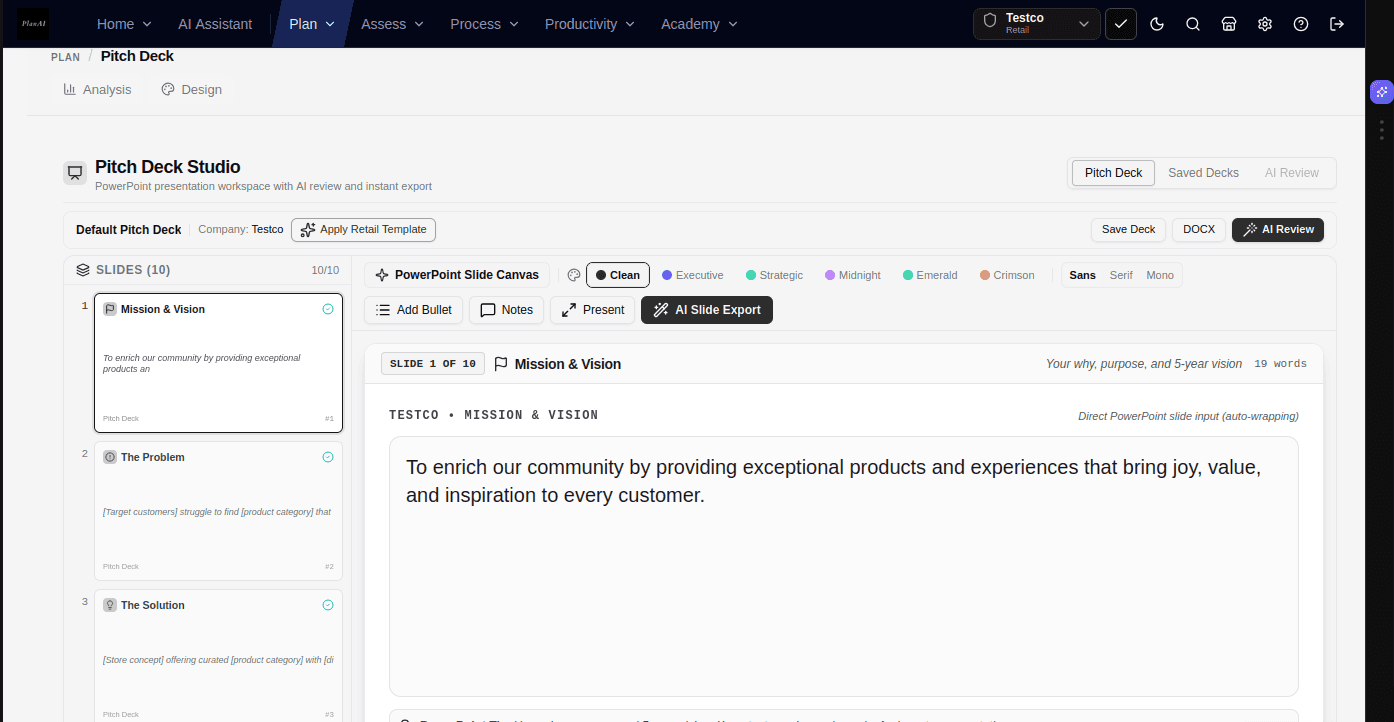
Generate presentation slides directly from your business plan
Present 16:9 widescreen slides in your browser or export to Canva and PowerPoint
The pitch deck studio translates your business problem, market sizing, revenue model, and milestones into 10 structured presentation slides so your deck reflects the latest data in your business plan.
How to do it in PlanAI
- 1Navigate to Pitch Deck (/dashboard/pitchdeck) to review slides generated from your company modules.
- 2Click 'Present' to open browser-based full-screen slideshow mode with keyboard navigation.
- 3Export directly to Canva or download as an editable PowerPoint (.pptx) file for agency styling.
- 4Slide bullet points and financial metric cards update automatically when underlying modules change.
"Condense our 3-paragraph value proposition into 3 concise bullet points with specific metric anchors for Slide 4."
Model SAFE notes, option pools, and ownership dilution
Calculate how convertible instruments and option pool sizing affect founder equity
Understanding dilution across multiple SAFE notes, post-money valuation caps, and employee option pools is critical. The Cap Table module models ownership percentages and exit waterfall distributions.
How to do it in PlanAI
- 1Input common share allocations for founders and early team members in the Cap Table Studio.
- 2Add convertible instruments (SAFEs, promissory notes) with explicit valuation caps and discount rates.
- 3Evaluate whether creating an unallocated option pool before an equity round dilutes existing founders or new investors.
- 4Connect DocuSign to monitor signature completion on SAFE agreements and term sheets from your funding dashboard.
"Model a $1.5M Seed round at a $10M post-money cap with a 10% unallocated option pool. Show founder dilution percentage compared to our current bootstrap cap table."
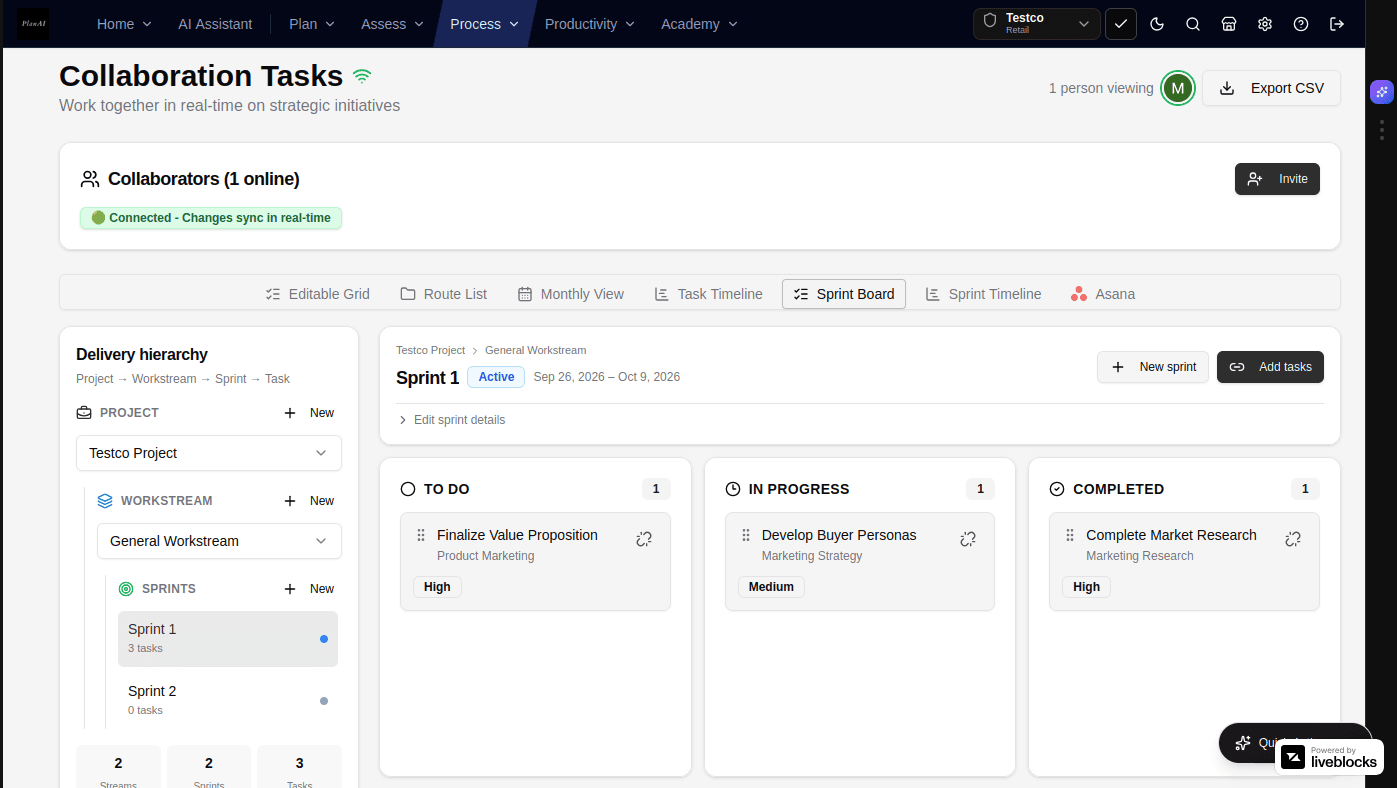
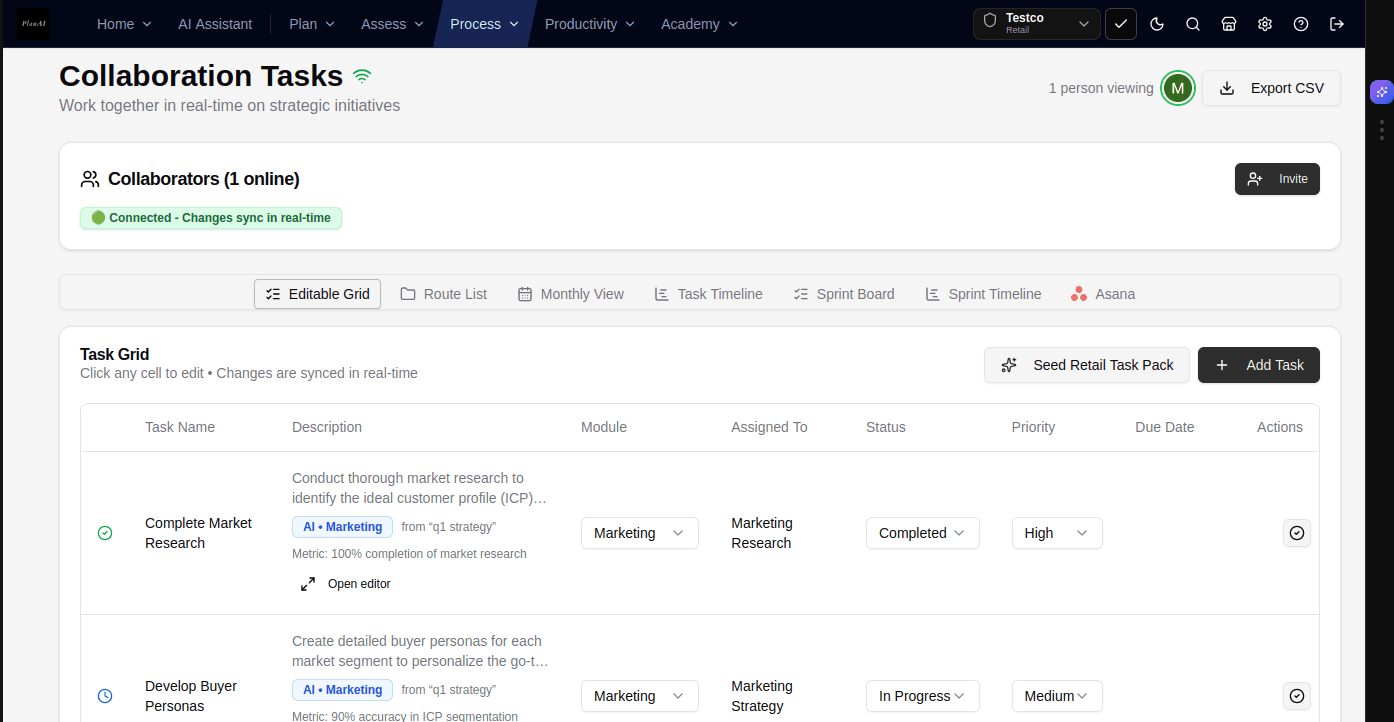
Sync operational data with Stripe, Slack, and Asana
Import actual revenue figures and convert plan milestones into sprint tasks
PlanAI connects with operational tools so your forecast reflects actual performance. Import Stripe ARR and churn data, convert plan milestones into Asana sprint tasks, and send target updates to Slack.
How to do it in PlanAI
- 1Open Marketplace (/dashboard/marketplace) and select the tools used by your team.
- 2Connect Stripe to import trailing revenue, subscriber counts, and churn rates into your forecast baseline.
- 3Enable Asana integration to turn key business plan milestones into assigned project tasks.
- 4Configure Slack notifications for financial targets and runway thresholds.
"Compare our trailing 90-day Stripe revenue growth against our business plan Year 1 forecast and highlight any variances."
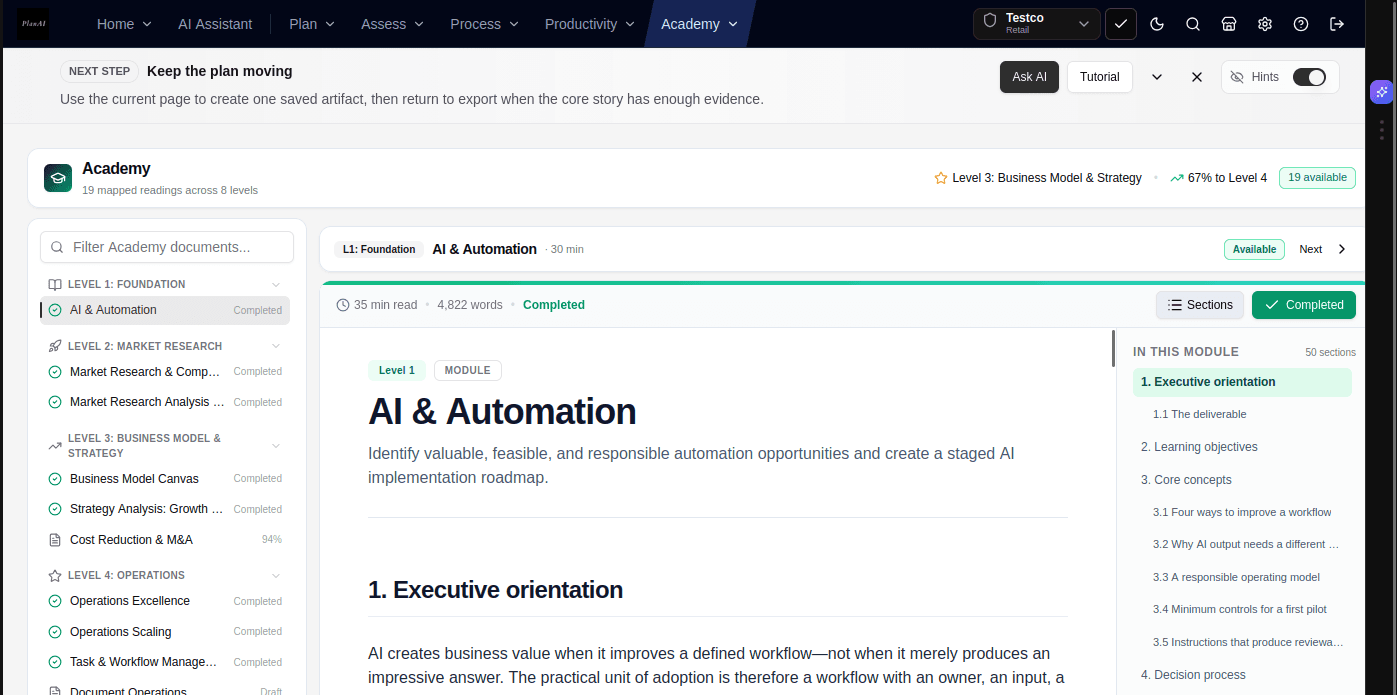
Use in-video action links in PlanAI Academy
Follow 52 structured video lessons with direct links into corresponding workspace tools
PlanAI Academy features 52 video lessons covering market research, financial forecasting, and deck preparation. Each lesson includes a synchronized transcript and an action button that opens the relevant workspace tool.
How to do it in PlanAI
- 1Browse the 52-module curriculum covering business model creation, financial projections, and investor presentations.
- 2Click transcript timecodes to navigate to specific sections of any video lesson.
- 3When a module explains financial budgeting, click the in-player action rail to open /dashboard/financials with pre-loaded exercise templates.
- 4Download companion worksheets and reference plans directly from the lesson viewer.
"Summarize the key takeaways and actionable checklist items from Module 03.02 (Financial Driver Sensitivity)."
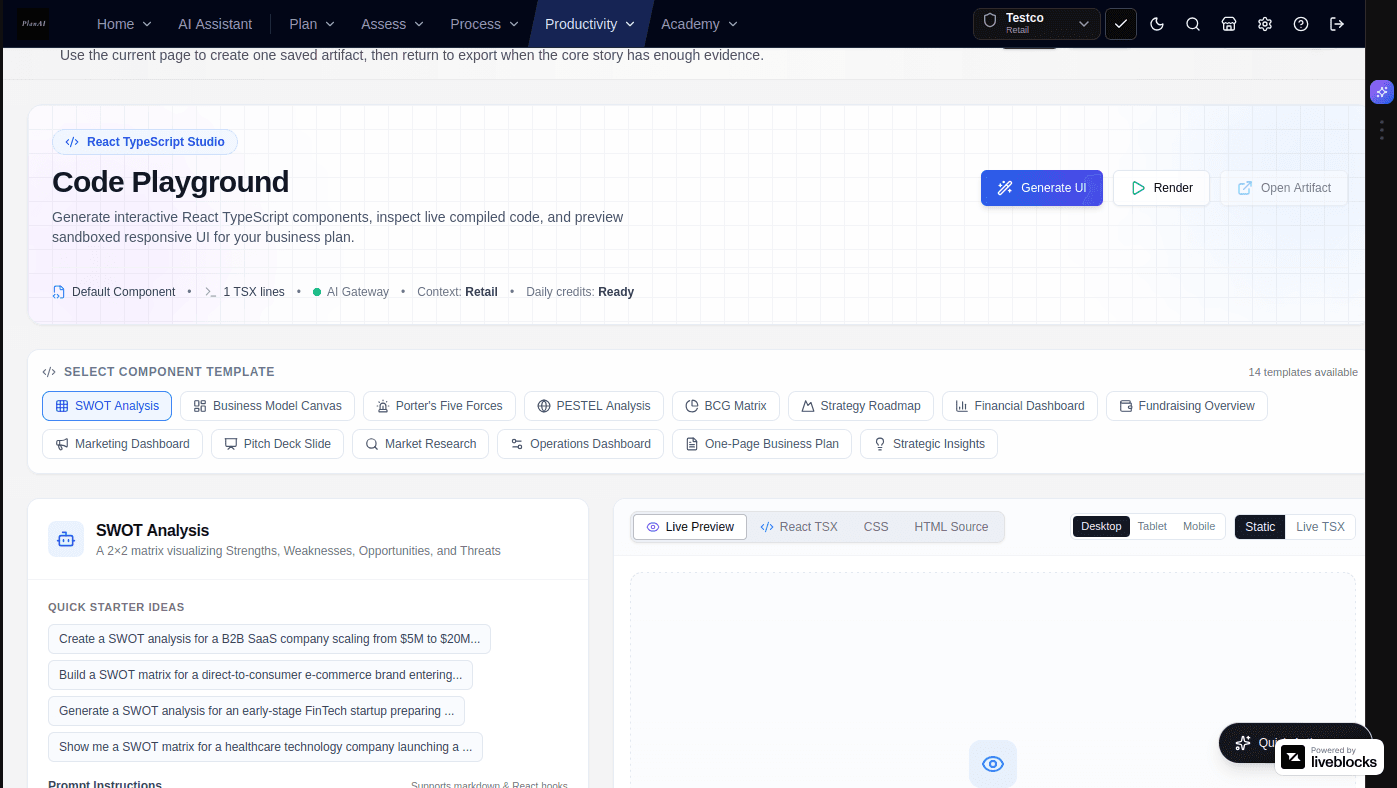
Build interactive pricing and ROI calculators in the Code Playground
Compile React and TypeScript components in the browser for customer-facing models
The Code Playground provides an in-browser TypeScript compiler to build interactive pricing calculators, unit economics models, and customer ROI tools that can be shared or embedded alongside your business plan.
How to do it in PlanAI
- 1Navigate to Code Playground (/dashboard/playground).
- 2Describe the interactive calculation tool or slider component you need.
- 3PlanAI compiles the component on the fly with live preview and interactive slider inputs.
- 4Embed or share the resulting component with prospective enterprise clients or evaluators.
"Build a TypeScript React calculator component that lets prospective customers adjust user seats (1-500) and calculate estimated annual savings."
Select targeted export presets for investors, banks, and internal teams
Generate appropriate documentation formats without manually removing sections
PlanAI offers audience-specific export packages. An investor package focuses on market sizing and unit economics, while a bank loan package prioritizes detailed cash flow statements, debt service coverage (DSCR), and collateral schedules.
How to do it in PlanAI
- 1Open the Export Engine (/dashboard/export) and choose your target document preset.
- 2Investor Preset: Highlights Executive Summary, Market Sizing, Moats, Unit Economics, and Pitch Slides.
- 3Bank/SBA Loan Preset: Prioritizes 3-Statement Cash Flow, Collateral, Debt Service Coverage Ratio (DSCR), and Historical Financials.
- 4Internal Plan Preset: Includes departmental roadmaps, staffing plans, and quarterly deliverables.
"Format our executive summary to emphasize Debt Service Coverage (DSCR) and inventory collateral for an SBA 7(a) loan application."
Enforce zero-retention data privacy with private AI gateways
Ensure proprietary financial models, customer lists, and IP remain private
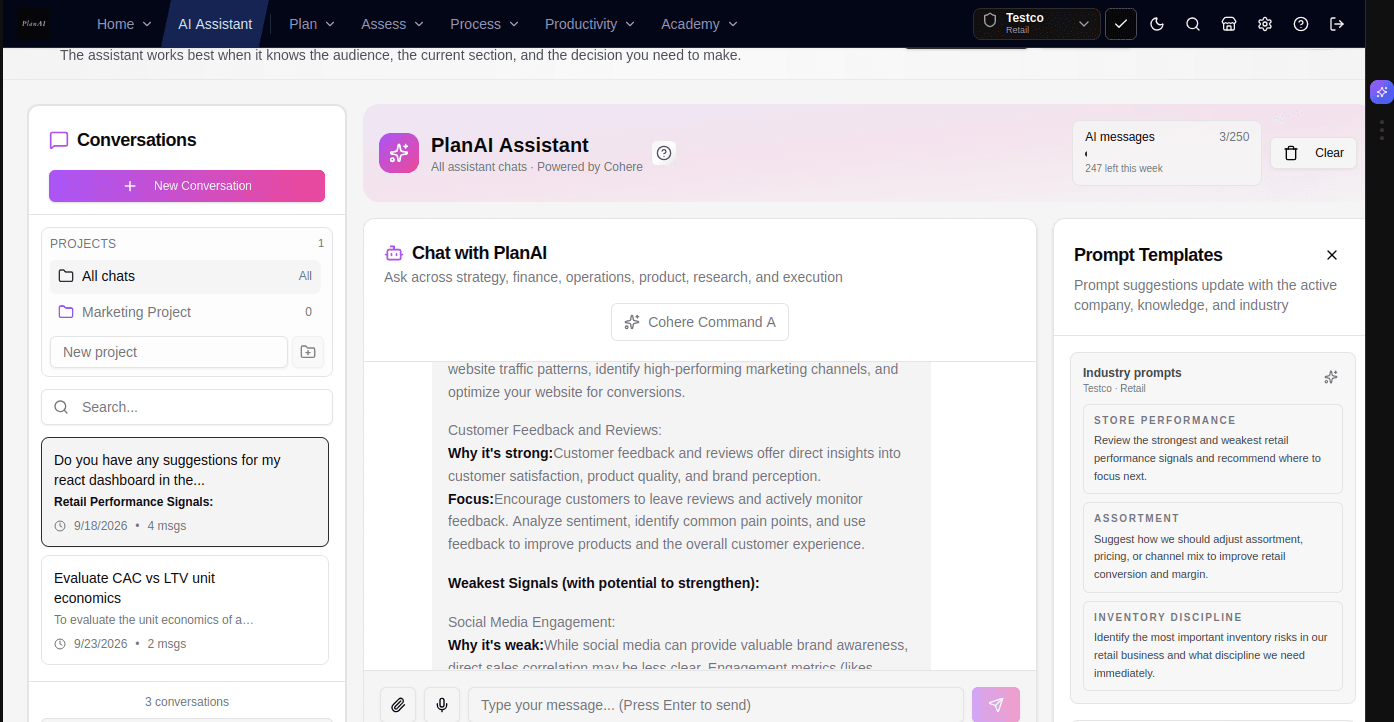
Startups manage confidential revenue numbers, patent disclosures, and cap tables. PlanAI routes all AI queries through private enterprise gateways that enforce zero-data-retention terms.
How to do it in PlanAI
- 1Workspace queries are processed through dedicated private API gateways.
- 2Your uploaded financial spreadsheets, customer lists, and business descriptions are never stored by model providers for training.
- 3Enterprise teams can configure Bring Your Own Key (BYOK) for direct API authentication.
- 4Role-based access controls (RBAC) ensure sensitive cap table numbers remain restricted to authorized team members.
"Review our proprietary trade secret disclosure section and confirm that confidential patent claims are appropriately protected in the public executive summary."
Common Routes & Actions
Direct navigation paths to key planning modules in the application.
Quick Business Plan
Guided intake to first draft
/export/quick-planPresentation Mode
16:9 widescreen presentation
F or PresentAccounting Validator
Check statement relationships
/financials#auditDocuSign SAFE Polling
Check signed agreements
/funding/docusignCanva Deck Export
Export presentation outlines
/pitchdeck/canvaNAICS Industry Setup
Pre-populate industry templates
/settings/companyStart building your business plan in PlanAI.
Create a company workspace to build linked financial forecasts, compare scenarios, and export investor-ready documentation.