A Comprehensive Planner for Docs, Spreadsheets, and Slides
PlanAI is becoming a free-form business planning workspace where teams can create, attach, render, and keep working with Google Docs, Sheets, and Slides alongside their strategic context.
Business planning rarely happens in one format. A founder may need a written plan, a spreadsheet model, a slide deck, a decision log, and a working set of internal notes. PlanAI now treats those formats as part of the planning system instead of separate places where context gets lost.
The new Google-powered planner gives teams a more natural way to work: start from a blank document, attach an existing Google file, render it inside the PlanAI workspace, and keep the source document available as planning work evolves.
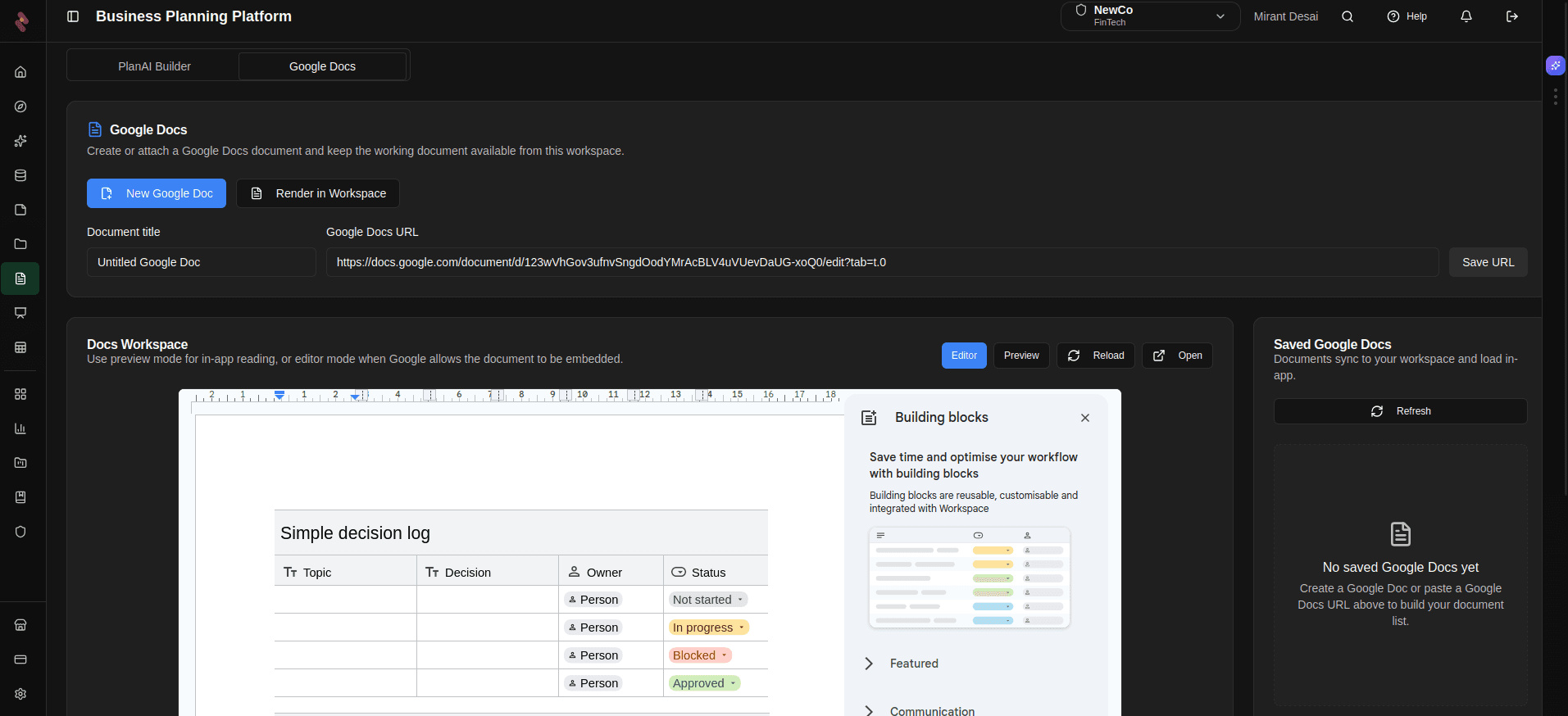
PlanAI keeps Google-powered working documents available inside the same workspace as the business plan.
Free-form planning, structured around real work
Traditional planning tools often force every idea into a fixed form. That can help with consistency, but it can slow down the messy middle of planning where teams need to write, compare, calculate, revise, and present quickly. PlanAI keeps the structured planning system in place while opening a free-form workspace for the documents teams already understand.
Docs for narrative planning
Draft business plans, decision logs, operating notes, board updates, and investor-ready narratives without leaving the planning workspace.
Sheets for structured work
Keep assumptions, forecasts, research tables, task trackers, and scenario models close to the strategy that explains them.
Slides for communication
Turn planning work into presentations for stakeholders, instructors, teams, lenders, or investors using familiar Google presentation tools.
Powered by Google, connected by PlanAI
Google Docs, Sheets, and Slides remain the editing surfaces. PlanAI provides the surrounding planning context: the business, the strategic modules, the working files, the saved document list, and the AI-assisted workflow that helps turn scattered material into decisions.
The goal is continuity
A plan should not split into one tool for writing, another for models, another for slides, and another for AI assistance. The planner keeps those work products close to the business context so teams can move from thinking to modeling to communicating with less friction.
What this unlocks
- Living business plans: Keep the written plan available as a working Google Doc instead of exporting it once and letting it go stale.
- Collaborative models: Use spreadsheets for assumptions and analysis while preserving the connection to strategy, research, and planning decisions.
- Presentation flow: Move from source planning to stakeholder-ready slides without rebuilding the story from scratch.
- Context-aware execution: Attach and revisit documents directly from the workspace where the business is being planned and managed.
A more practical planning workspace
This update expands PlanAI beyond generated outputs. It gives entrepreneurs, students, advisors, and teams a place to keep the actual working artifacts of planning in motion. Docs capture the thinking, Sheets hold the numbers, Slides communicate the story, and PlanAI keeps the system organized around the business.